Blushy-Face Swap,AI Tool&Talk
BULK BROTHERS WPB LLCArt & Design
2.756.00 Reviews
- Version
- 1.0.9
- Installs
- 100.00K
- Age Rating
- Teen
Screenshots
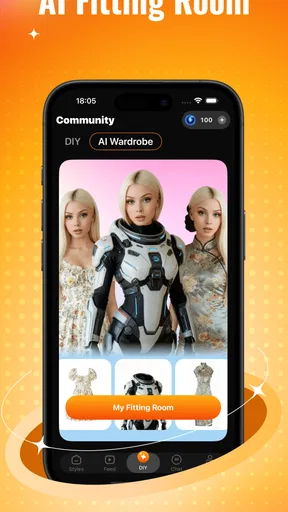
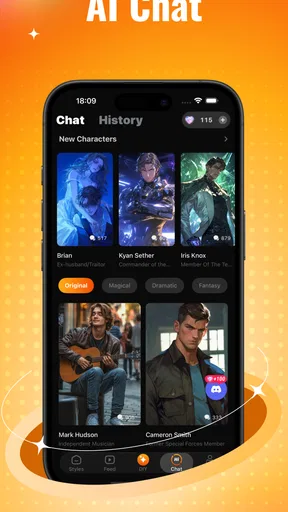
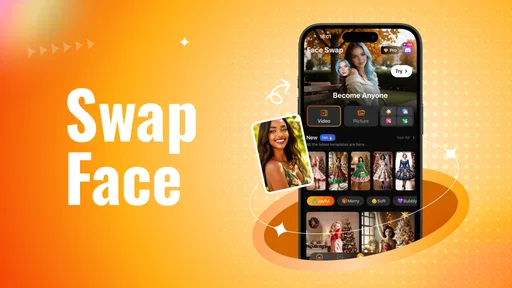
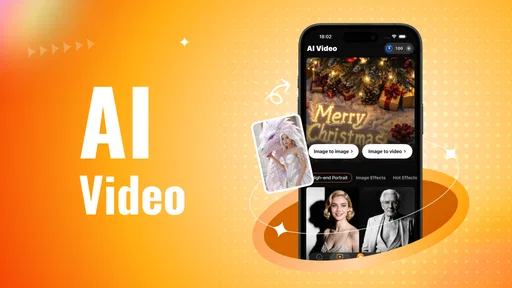
Our Review of Blushy-Face Swap,AI Tool&Talk
 Analysis by Appyee
I’d treat Blushy as a shared creative toy, not as a household photo library. Its appeal is quick, playful image making: one person can try a face swap, another can suggest a template, and the finished result can become a joke for a family chat or a post among friends. That kind of casual handoff works best when everyone knows whose photo is being used and who gets to keep or share the result.
For a simple evening activity, I can imagine a parent and teen taking turns choosing a suitable picture and seeing how a swap or animated phrase changes its mood. The fun is in comparing the results, not in expecting a polished portrait every time. I’d keep the activity collaborative: ask before using another person’s face, and agree before sending an image outside the room. Those small boundaries matter more when an app makes it easy to turn someone’s likeness into a joke.
Set expectations before passing the phone
Blushy is a free art-and-design app from BULK BROTHERS WPB LLC, with in-app purchases ranging from $4.99 to $149.99 per item. That makes it sensible to decide in advance whether the app is only for trying its free experience or whether the person using the device may consider paid extras. I would not hand over a shared phone without checking the purchase setup first; that is ordinary good practice for any app with optional purchases, not a special family feature.
On a shared device, a useful boundary is to treat the current session as belonging to the person holding the phone. Have them choose their own source picture, avoid browsing other people’s personal images, and review the finished result together before sharing it. This keeps a lighthearted experiment from turning into an awkward surprise. If the device is used by several people, it is also worth agreeing where completed images should go, rather than assuming everyone wants them saved or circulated.
Make the group activity easy to coordinate
The strongest household use is probably a short, planned turn-taking session rather than leaving the app open for anyone to use at any time. One person can pick a template, another can choose a photo, and the group can decide whether a silly talking version is funny enough to keep. That division makes the creative choices clearer and gives the person in the image a chance to approve the result.
I’d also keep a simple “one idea, one result” rhythm. Face swaps and talking effects invite endless tweaking, but a shared device can quickly become a queue of people waiting to try their own version. Agreeing on a small number of attempts makes it feel like a game instead of a contest over the phone. If the result is meant for a birthday message or a group chat, settle on the audience before creating it; a joke that works among close friends may not suit a public post.
Age, consent, and trust
The app has a Teen content rating, so I would consider that age context before making it available to a younger child. A rating is a starting point rather than a substitute for a parent’s judgment, especially with tools that alter faces and let users create playful messages. For teens, the most useful conversation is less about banning every silly edit and more about consent: don’t use someone’s face without permission, don’t present an altered image as an authentic moment, and don’t share a result that could embarrass the person in it.
That guidance applies to adults too. A convincing-looking edit can travel farther than intended once it leaves the device, so I’d label or explain a joke when there is any chance a viewer could mistake it for a real image or recording. I’d also avoid using the app to impersonate someone in a way that suggests they said or did something they never did. The playful tools are most enjoyable when everyone pictured is in on the joke.
Who will enjoy it—and who may prefer another tool
I see Blushy as a better fit for people who want quick, humorous transformations than for anyone building a careful photo-editing workflow. Its combination of face swaps, templates, editing options, and a talking effect gives a casual user several ways to make a shareable gag without learning a traditional editor. By contrast, someone who mainly wants precise retouching, detailed layers, or tight control over every adjustment will likely be happier with a dedicated photo editor. A basic camera filter app is also a better choice when the goal is simply to change color or lighting without altering identity.
The rating sits at 3.3 on average from around 160 ratings, while the app has passed 50,000 installs. I’d read that as a sign of a modest but real audience, not as proof that every feature will suit every person. It is free to install, but the in-app purchase range is broad enough that I’d check the displayed price before choosing any optional item. The current version is 1.0.3, and the app is listed for devices running version 8.0 or later of its supported operating system.
So, if you are deciding whether it belongs on a shared phone, I’d start with the people who will use it, the images they plan to edit, and the purchase boundaries on that device. It can be a cheerful group activity when everyone opts in and the results stay within an agreed audience. If your household needs detailed controls, private editing workflows, or a strictly practical photo tool, I’d choose something more purpose-built instead.
Hey there, app explorers! So, I’ve been diving into the world of face-swapping apps recently, and I stumbled upon something intriguing: Blushy-Face Swap,AI Tool&Talk. This app is like a magic wand for your selfies, and I’ve got to say, it’s got some serious potential to spice up your photo game. Let’s dive into what makes this app tick and why it might just become your new favorite digital toy.
Getting Started with Blushy-Face Swap
First things first, let’s talk about the setup. Downloading Blushy-Face Swap,AI Tool&Talk is pretty straightforward. It’s available on both Android and iOS, so no matter your device allegiance, you’re covered. After a quick install, you’re greeted with a user-friendly interface that doesn’t overwhelm you with too many options. I appreciate that because sometimes too many bells and whistles can make an app feel like a labyrinth.
The app kicks things off with a quick tutorial, giving you the lowdown on how to get the best out of its features. Trust me, following these tips makes all the difference in the world, especially if you're a newbie to the face swap scene. Once you're through with that, you're ready to start your face-swapping adventures!
Diving into the Features
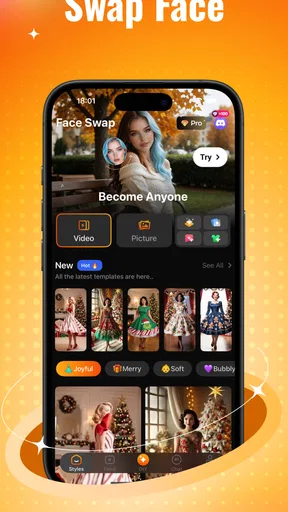
Now, let’s get to the fun part—the features! Blushy-Face Swap uses AI to seamlessly swap faces in your photos. The technology behind it is pretty impressive; it doesn’t just slap someone else’s face onto yours (which can be hilariously bad in some apps) but rather blends it into the original photo. The result? A natural-looking swap that’ll have your friends doing double takes.
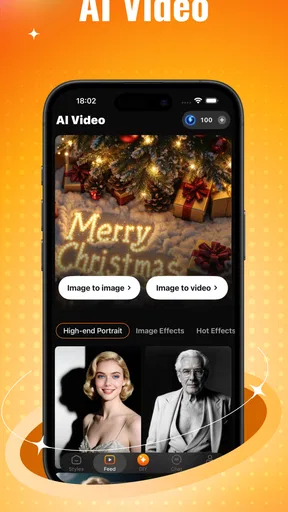
One feature I found particularly cool is the Talk aspect. This allows you to animate your swapped faces to say pre-set phrases or even some custom ones. It’s like bringing your photos to life, and it’s honestly a blast to play around with. Imagine sending your friends a photo where you’re suddenly speaking in a celebrity's voice—endless possibilities for laughs!
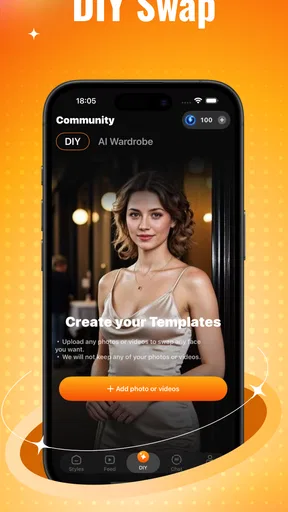
Another neat aspect is the variety of templates available. Whether you want to picture yourself as a pop star or a historical figure, there’s something for everyone. The app also keeps things fresh with regular updates and new templates, so you’ll never run out of faces to try on.
Playing Around with AI Tools
The AI tools in Blushy-Face Swap don’t stop at face swapping. They also include some fantastic editing options. I’m talking about filters, text overlays, and stickers that let you customize your photos even more. The AI suggests enhancements based on the photo you’re working with, which saves you the trouble of manually tweaking things if you’re in a hurry.
The AI is pretty smart, almost like having a mini Photoshop expert in your pocket. It recognizes the facial contours and lighting conditions, suggesting the best swaps and edits to make your photos pop. I found it particularly helpful when trying to blend faces from photos with different lighting—it did a fantastic job of maintaining the photo’s natural look.
Why Blushy-Face Swap Stands Out
You might wonder what sets this app apart from a sea of similar options. For starters, the quality of the swaps is a huge factor. While I’ve seen my fair share of meme-worthy face swaps, the results here are genuinely impressive. It’s also super intuitive, so you don’t need to be a tech wizard to get the hang of it.
Plus, the addition of the Talk feature is a game-changer. Creating animated messages adds a personal touch that static photos just can’t compete with. This makes it not only a fun app for personal use but also a handy tool for anyone looking to jazz up their social media content.
Lastly, the app is pretty smooth in terms of performance. I didn’t experience any lag or crashes during my tests, which is always a big plus. There’s nothing more frustrating than an app that can’t keep up with your creative flow!
The Final Word
In a nutshell, Blushy-Face Swap,AI Tool&Talk is a delightful app that brings creativity and fun to your fingertips. Whether you’re looking to prank a friend, create unforgettable social media posts, or just have a good laugh, this app delivers on all fronts. The combination of advanced AI and user-friendly design makes it a must-try for anyone who loves tinkering with photos.
So, if you’re ready to transform your selfies and explore the world of face swapping with a twist, give Blushy-Face Swap a whirl. Who knows? You might just discover your new favorite pastime!
Verdict
Strengths of Blushy-Face Swap,AI Tool&Talk
- Realistic face swaps with AI.
- User-friendly interface.
- Fast processing time.
- Variety of editing tools.
- Frequent updates with new features.
Limitations of Blushy-Face Swap,AI Tool&Talk
- Occasional glitches in swaps.
- Limited free features.
- Requires strong internet connection.
- Ads in the free version.
- High battery consumption.
Similar Picks in This Category
View All
Canva: AI Photo & Video Editor
Canva4.8

PENUP – Drawing-sharing SNS
Samsung Electronics Co., Ltd.4.5

Crafto
Kutumb App4.6

Sketchbook
Sketchbook4.1

ibis Paint X
ibis inc.4.5

Adobe Express: AI Photo, Video
Adobe4.6
Frequently Asked Questions
What features does Blushy-Face Swap, AI Tool & Talk offer?
Blushy-Face Swap provides an exciting range of features including real-time face swapping, AI-driven enhancements, and a unique talking feature that animates faces with personalized dialogues. The app leverages advanced AI to ensure realistic and seamless transitions, making it a fun tool for both casual users and content creators.
Is Blushy-Face Swap available for both Android and iOS devices?
Yes, Blushy-Face Swap is available for download on both Android and iOS platforms. Users can find the app on the Google Play Store and the Apple App Store, ensuring compatibility with a wide range of devices. Always check for the latest version to enjoy the newest features and improvements.
Are there any in-app purchases or subscriptions in Blushy-Face Swap?
While Blushy-Face Swap is free to download, it offers in-app purchases and subscription options for unlocking premium features. These may include additional face swapping templates, enhanced AI effects, and ad-free usage. Users can choose to pay for these extras to enhance their app experience.
How does Blushy ensure user privacy and data security?
Blushy-Face Swap prioritizes user privacy by implementing robust data security measures. The app does not store personal data or images on its servers without user consent. Additionally, all data transfers are encrypted to prevent unauthorized access, ensuring users can enjoy the app with peace of mind.
What are the system requirements for Blushy-Face Swap?
To run Blushy-Face Swap smoothly, Android users need version 5.0 or higher, while iOS users require version 11.0 or later. The app is optimized for devices with at least 2GB of RAM for seamless performance, particularly when utilizing its advanced AI features.
